
Blog

How to Update to PHP 8 in WAMP Server Localhost

Since PHP version 8 has been released recently and you as a developer want to put your hands on to the exiting journey of PHP version 8, you must be wondering how to upgrade to PHP 8 in WAMP server. This article with a YouTube video will guide you to update WAMP server to PHP version 8.

As you can understand, You can use PHP 5, PHP 7, PHP 8 in a single WAMP installation. Also you can use multiple version of PHP of same release like PHP 7.2 and PHP 7.4 within the same WAMP server installation. This is a nice way to work on multiple PHP version and you just have to select the needed PHP version in WAMP.

How to Update to PHP 8 in WAMP Server Localhost Read More »
Blog_Alexa

Build Alexa Voice Bot with Node.js for Restaurant Reservation Use Case

“Alexa, I want to make a reservation!”

How many of you are planning to make your hands dirty on the Alexa world? Curious to know how a voice bot can be build using Amazon Alexa and Node.js application? This blog is the right place for you. Let’s start.

Part 1:

First you need to identify the use case. Here we are dealing with a voice based restaurant reservation system. When a person says to Alexa that he wants to make a restaurant reservation, basically he is showing the intent to make a reservation. Also the reservation will have few slots like date of reservation, time, city etc. These are called slots. Once you identify the intents and slots for your use case, design the voice bot in Amazon Alexa Skill Kit (ASK) first. In ASK you need to define the intents, utterances, slots.

Build Alexa Voice Bot with Node.js for Restaurant Reservation Use Case Read More »

Blog_Docker_Nodejs_Mysql

Build Docker Container for Node.js and MySQL Based Application

Docker has given a different perception to application development and their run time environment. Containerization of application is very much essential now a days. Think about you have two different application in production server at same time and those applications are developed in Node.js 8 and Node.js 10 respectively. Now you can imagine how much trouble it could be to manage two different Node.js version.

If you were using Docker, you could simply spin up another container, set the Node.js version to 8.x and put it right next to your other container that has Node.js version 10.x on it, running on the same server with no problems whatsoever. That flexibility, portability and the option to more efficiently use your server resources are what make Docker so compelling to use.

For PHP and MySQL, you may read our blog on Build Docker Container for PHP 7 and MySQL Based Application


Build Docker Container for Node.js and MySQL Based Application Read More »

docker_php_mysql_logo

Build Docker Container for PHP 7 and MySQL Based Application

Docker has given a different perception to application development and their run time environment. Containerization of application is very much essential now a days. Think about you have two different application in production server at same time and those applications are developed in PHP 7.2 and PHP 5.6 respectively. Now you can imagine how much trouble it could be to manage two different PHP version.

If you were using Docker, you could simply spin up another container, set the PHP version to 5.6 and put it right next to your other container that has PHP version 7.2 on it, running on the same server with no problems whatsoever. That flexibility, portability and the option to more efficiently use your server resources are what make Docker so compelling to use.

The below YouTube Video will tell you how to install Docker. Here we are using Ubuntu as OS but if you are an Windows user, you can create a virtual machine using Virtual Box and Install Ubuntu as Virtual OS. This approach is better as your primary or host OS is untouched from any activity required for your learning purpose. You may watch this YouTube video on How to Install Ubuntu as virtual machine (VM).


Build Docker Container for PHP 7 and MySQL Based Application Read More »

Install_NodeJS_on_Ubuntu

How To Install Node.js on Ubuntu 18.04 LTS

Introduction

Node.js is a run time environment for JavaScript execution at server side. For general-purpose programming Node.js allows users to build web / network applications quickly. By leveraging JavaScript on both the front and backend, Node.js makes development more consistent and integrated.

In this guide, we’ll show you how to get started with Node.js on an Ubuntu 18.04 LTS server.

How To Install Node.js on Ubuntu 18.04 LTS Read More »

Chatbot_blog_banner

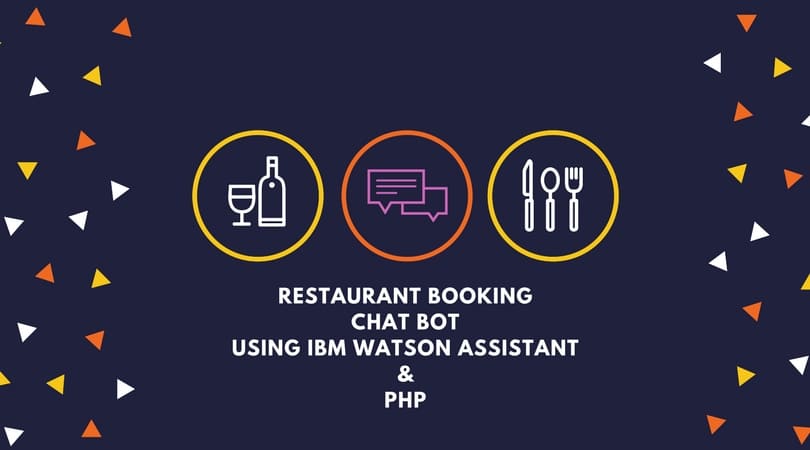
Create a chatbot using IBM Watson Assistant and PHP

Chat bot has recently created havoc among consumer business. Many people are saying chat bot’s usability is going to increase in coming years and you must be wondering how to create a chat bot? This blog will help a beginner to build a chat bot using IBM Watson Assistant (formerly known as Watson Conversation) service which has free subscription option useful for learning purpose. Also we will use PHP as server side language as a controller which will interact with the Assistant tool to continue the dialog flow of the conversation.

We have selected restaurant reservation as a use case for the bot. This bot will have give the user 3 options like Make or Cancel or Reschedule reservation in a particular restaurant. In this tutorial we will use the usage of Slot features in Watson Assistant tool and also will use handlers. We will see how we can integrate with Facebook Messenger to access the chat bot using the PHP controller and finally integrating with Microsoft Teams.

Create a chatbot using IBM Watson Assistant and PHP Read More »

Scroll to Top